


Groundsure Explorer: attributes and distinguishing features you need to know about
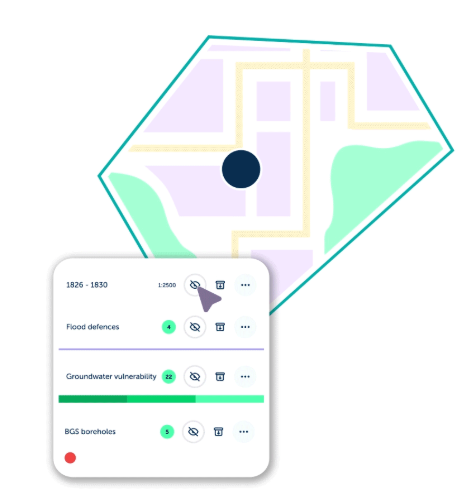
Groundsure Explorer: key features that make your life easier
For professionals undertaking key site due diligence,Groundsure Explorer is your go-to environmental data workspace.
It delivers unparalleled depth and confidence when working with historical mapping and geo-
environmental data. Our Groundsure Explorer features bring every site into sharp focus – from understanding land use and contaminated risks, to supporting property due diligence. You can view multiple data layers, compare time periods, overlay maps and explore risks in detail.
Exploring the history of your site
Explorer has many powerful features, including a comprehensive historical map viewer.
Drawing on Ordnance Survey® maps, town plans, and National Grid editions dating back to the 1840s, Explorer enables you to uncover former industrial activity, infilled land and groundworks, historic watercourses, drains and culverts, lost roads and infrastructure, and long-term land-use change. These historical maps provide vital insight into a site’s legacy, often revealing potential risks that aren’t visible in modern datasets alone.
Plenty of tools and features
Explorer gives you online access to over 130 datasets and 170 years of historical mapping for 12-months following the purchase of a Groundsure Insight PDF. Enabling you to use annotations and data – to support smarter risk assessments and planning decisions.
Choose how you want to set-up your workspace – select between view all the data that’s been searched for, or refine the view to show the groups of data that’s present on/around your site.
Key features include:
- Set up your workspace to suit your needs. Choose to view all searched data, or refine your view to only show the groups where data is present on and/or around your site
- Compare historic maps with ease. Load two maps onto the map view and use the transparency slider to adjust the opacity – enabling you to compare differences and track features
- Link key data together using tags. Connect historical maps, data layers and annotations with free-text tags that can be named as needed, creating searchable data groups. For example, link geology and aquifer data to the historic mapping it was derived from
- Benefit from smart tagging. Once a tag has been set for mapping, data layers or annotation, it will be suggested for future use – ensuring related information is grouped consistently
- Colour-code your annotations. Choose from six colours for point and polygon annotations to highlight findings and group important features
- Extract key information. Use the click-to-copy feature, or export entire tables as CSV files
- Plot and share borehole locations. Export borehole data from Explorer as a CSV file, ready to share with colleagues or load into the relevant systems for drilling investigations
- Take your data on site visits. Access environmental, geological and mapping data instantly from your desktop, tablet or mobile device. Use the ‘find me’ function to locate your position on the map and see what’s around you.
How to access Explorer
1). When you access the Groundsure Insights platform and order an Insight PDF, you’ll automatically get 12-months free access.
2). There’s no need for separate log-ins or additional set up.
3). Simply log in to your Insights account – you’ll see a new banner on the homepage and within your orders section – this takes you straight into the Explorer workspace.
Using Explorer in the workplace
Many organisations use Groundsure Explorer as a collaborative workspace – it helps improve cross team collaboration and stakeholder engagement. Helping teams get a clearer view of sites and maintain a smooth, efficient workflow. Explorer is built for collaboration.
- For large or complex projects, companies often use Explorer to segment large sites into smaller areas and allocate these to various team members
- Explorer is built for collaboration. Share access to your workspace so colleagues can work together seamlessly. Use tags and annotations to highlight datasets directly on maps – it’s ideal when you require a second opinion. Colleagues can view your tags and add their own – helping everyone to make smart risk assessments
- Once you’ve completed your initial site appraisal, invite your colleagues to review your workspace and explore the insights that you’ve identified
- Explorer helps overcome the challenge of split historical maps. When working on large sites, all maps within a single year’s timeline can be loaded and assessed together in one view – eliminating the need to toggle between a split PDF, to fully understand the full site.
Find out more about Groundsure Explorer and how it can help you today.
Or contact our Customer Support team on 01273 257755 or info@groundsure.com
Share:


Date:
Jan 28, 2026
Author:
Amanda Bown